
WearLoad
Manage your watch without a PC.
Install APK, APKS, and ZIP files in a few clicks.
Version 4.0.3
Manage your watch without a PC.
Install APK, APKS, and ZIP files in a few clicks.
Version 4.0.3
Choose files on your phone and install them on your watch. Supports APK, APKS, and ZIP.
Manage your app list via any device's browser. Just scan the QR code on your watch.
Change your watch's DPI and screen resolution for a better experience with non-optimized apps.
Fast data transfer via Wi-Fi or Bluetooth without using cables.
Download installed files from your watch back to your phone for backup.
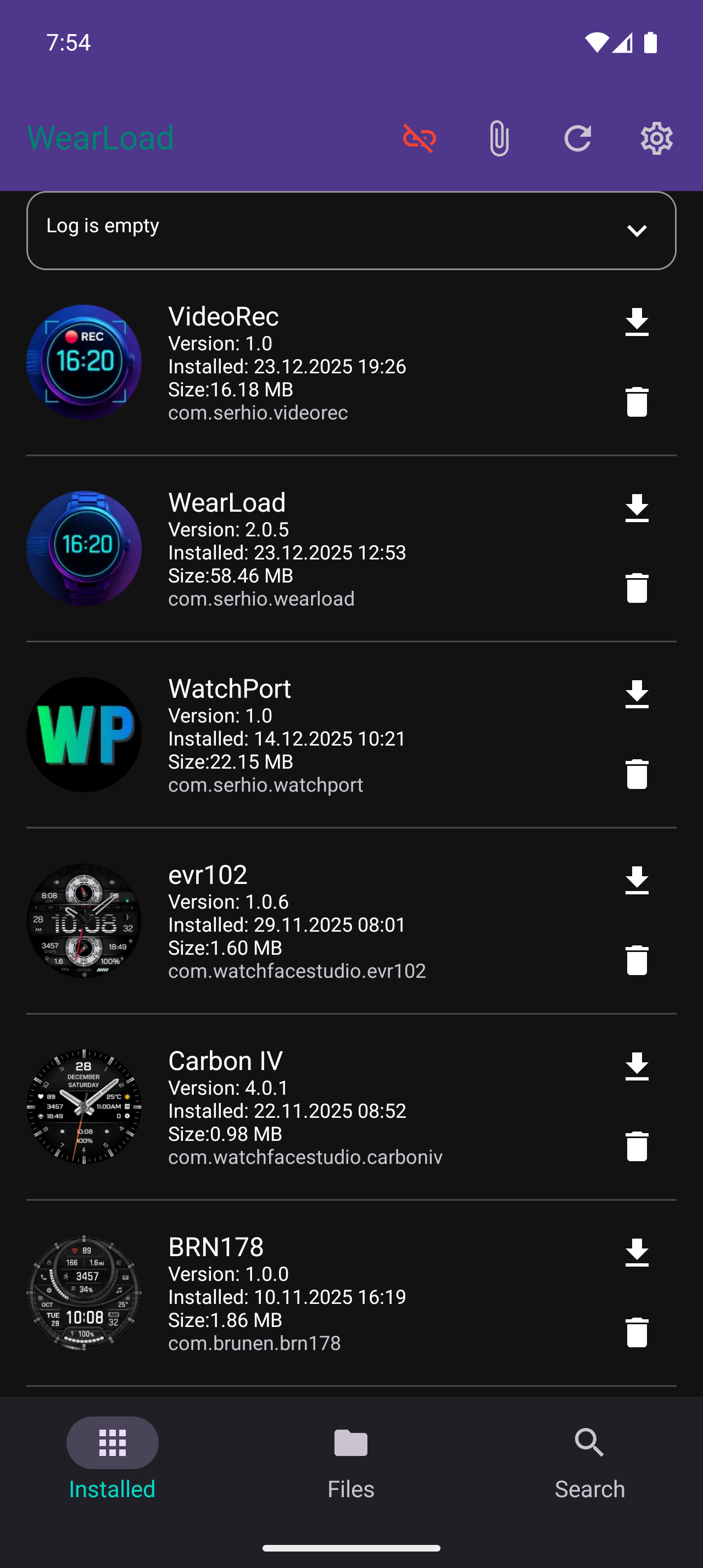
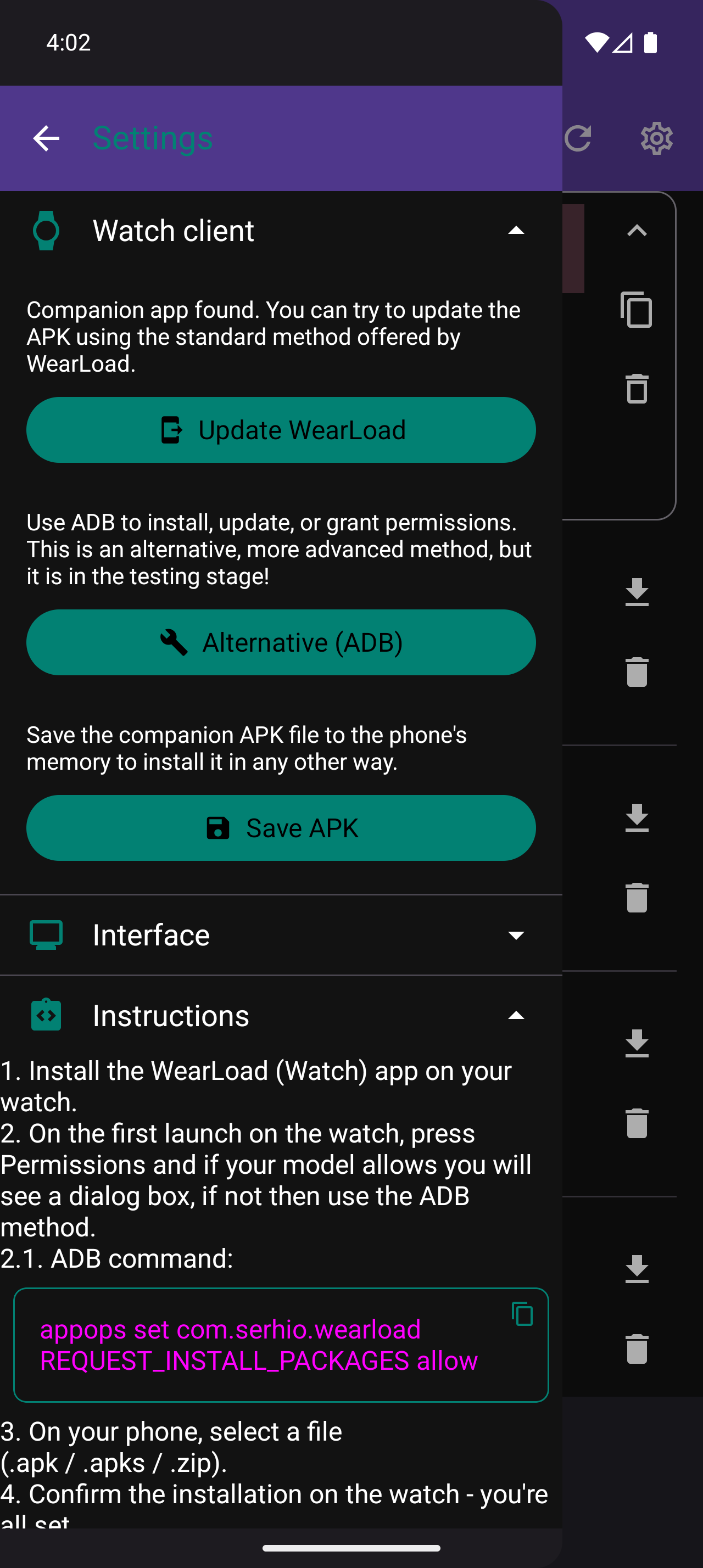
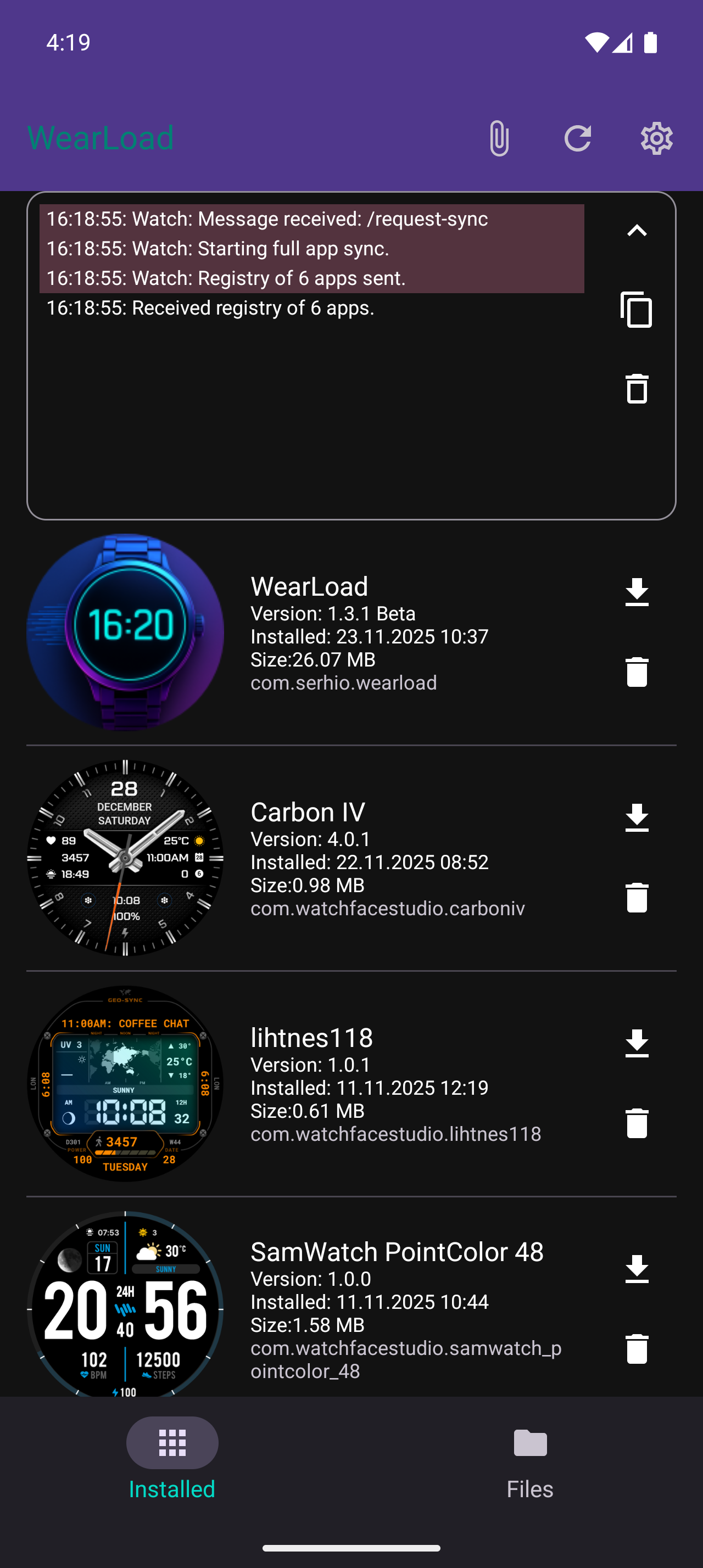
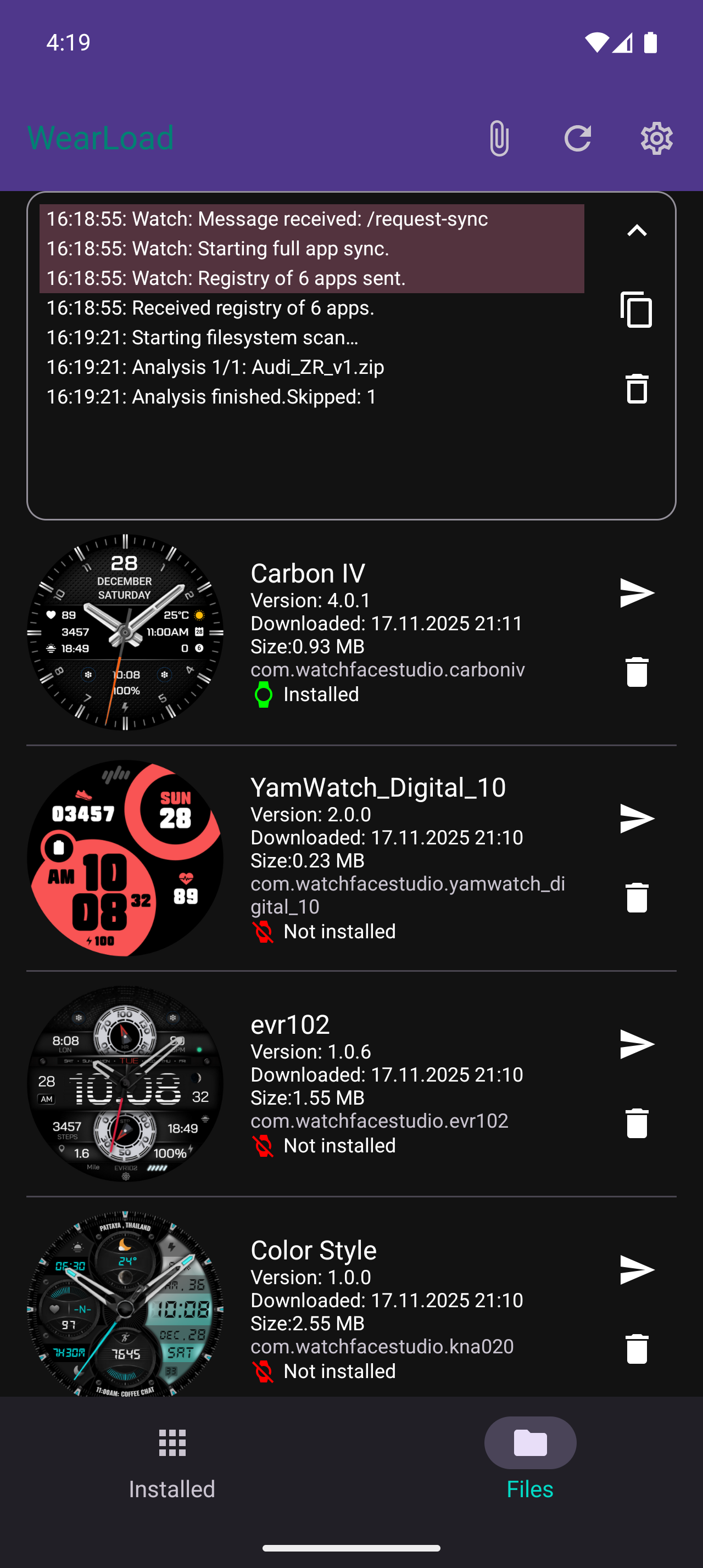
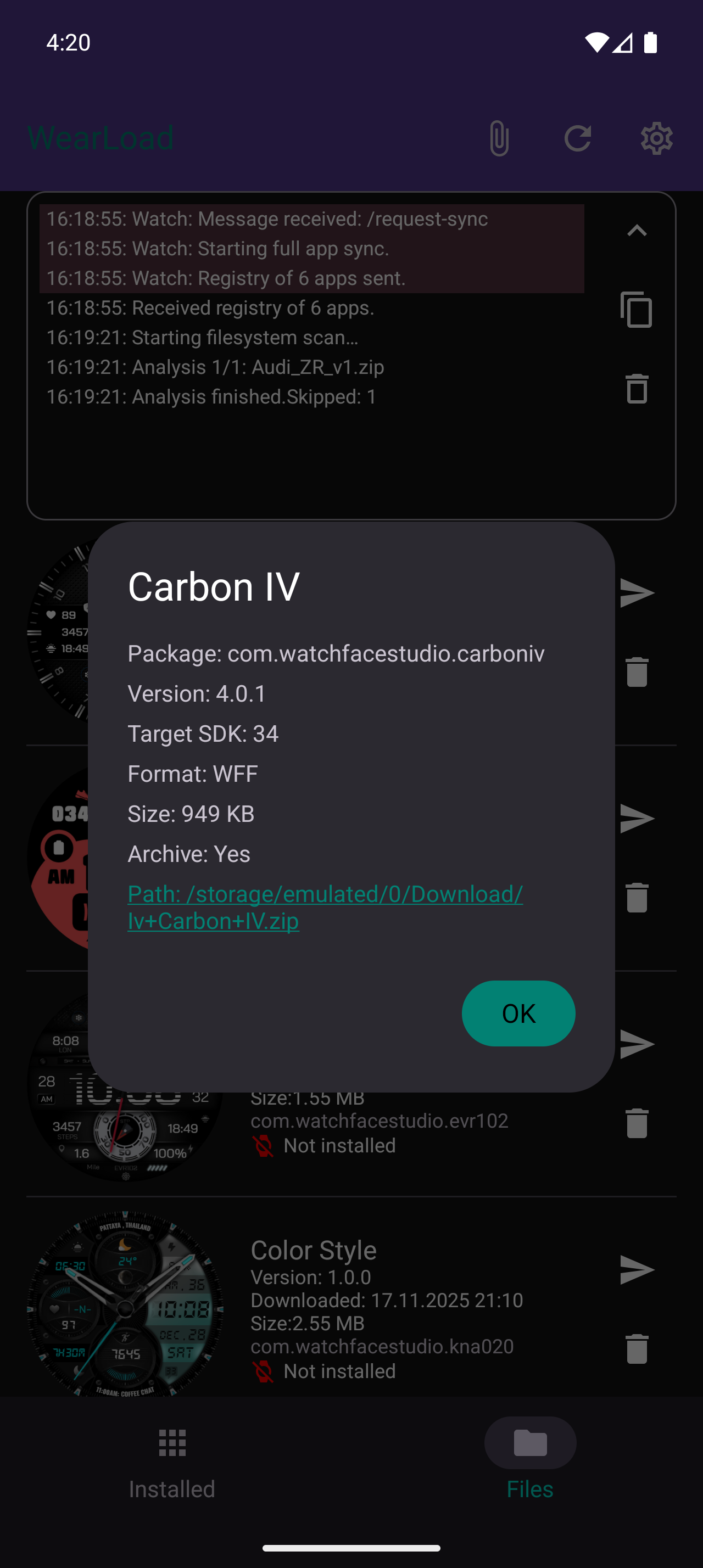
Intro: On Wear OS watches, the "Install unknown apps" option is often hidden. Without it, installation will not start.
How to allow: In the WearLoad app on your watch, swipe left to the "Settings" screen. If "Install Permission" or "System Settings" are highlighted in red, permissions are missing.
Granting permissions: Use the ADB mode on your phone (see below) to force-grant these rights.
Risks: By granting permissions, you take responsibility for further actions. Installing apps from unknown sources is not always safe, and allowing system settings changes can harm the device!
Essence: The easiest way, no Wi-Fi required. Works via Bluetooth (Google GMS).
Action: Select an APK on your phone → Tap "Install".
On the watch: Once the transfer is complete, a "Confirm Installation" button will appear in the center of the screen. Tap it.
Note: A notification has been added just in case. If you accidentally close the installation dialog, tap the notification to resume.
Essence: Maximum transfer speed.
Action: Swipe right on the watch to the "Server" screen and tap "Start" (requires Wi-Fi).
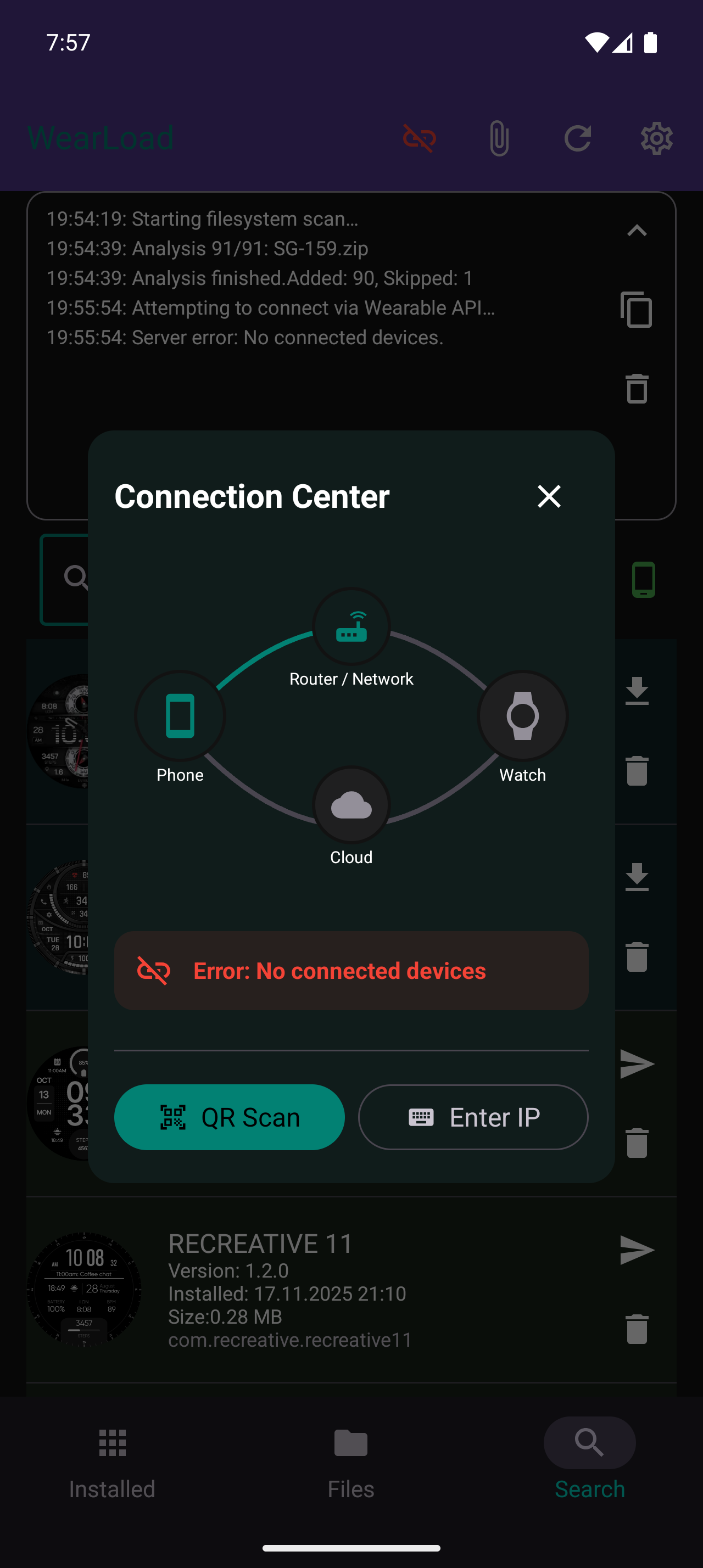
On the phone: Tap the connection icon at the top (Connection Hub). Scan the QR code from the watch. The icon will turn green.
Result: Files will now be sent via Wi-Fi / HTTP. Remember to turn off the server and Wi-Fi after work to save battery!
Note: An auto-off timer is included in the app, but its performance depends on your device.
Essence: Installation from a PC or phone without the mobile app.
Action: Start the Server on the watch. Enter the watch's IP address in the browser of any device. Upload the file via the web interface.
Requirements: The watch and the browsing device must be on the same Wi-Fi network (Hotspot or Router).
Security: Not recommended for use on public networks. The HTTP server is not password protected, and all devices on the network will have access to it.
Purpose: Use this if you cannot install WearLoad on the watch or cannot grant permissions manually.
Preparation: In the watch settings, enable "Developer Options" → "Wireless Debugging".
Action: On the phone: Settings → Watch Client → Alternative (ADB). Enter the data from the watch screen. The app will install the companion and grant the necessary rights automatically.
To better understand the setup, we recommend watching the short videos available in the "Useful Links" section.
There are also links to the community forums: Eng-XDA and RUS-4PDA.
You will find the key points on the channel, though we cannot record a new video for every single version release.
Background Transfer (Channel API): The default transfer method (via Bluetooth) no longer stops when the watch screen turns off. While a file is being received, the watch shows a notification and the transfer continues in the background.
Cancel Button: A stop button now sits right next to the transfer progress bar. Cancel anytime — the progress resets instantly.
Everything else is unchanged — this update only affects the default (Channel API) method.
Smart Scanner: Enhanced file search algorithm in phone memory. The app now scans the downloads directory along with all its subdirectories. You can now exclude specific folders from scanning—simply create an empty .ignore or .not_scan file in the desired directory.
Facer Support: Implemented automatic previews for Facer watchface files.
Stability: Resolved a critical memory leak that occurred when scanning corrupted archives. The cache management system is now fully optimized, ensuring smooth performance even with a large number of files.
Blocking Incorrect Installations: A check has been implemented in the file list components (both in search and manager). The "Send" button is now inactive for the phone version of WearLoad.
Share Module: An invisible ShareActivity has been created. Files (APK, APKS, ZIP) can now be sent to the watch directly from any external file manager in the background via Bluetooth (Data Layer).
How to use: Select the desired APK or ZIP archive in any file manager (Explorer, Total Commander, Telegram), tap "Share" and select WearLoad. The file will immediately begin sending to the watch.
Fixed. When selecting the DataItem transfer mode, the original file was deleted from the phone's memory.
Note: This is an experimental bonus for advanced users, intentionally kept away from the main UI.
How to activate:
1. Open the WearLoad app on your phone first.
2. Then enable "Wireless Debugging" on your watch.
The watch broadcasts its connection data only at the exact moment debugging is enabled. If the phone app is inactive, it will miss the signal and auto-connect (green bug icon) won't trigger.
Capabilities:
- In the "Installed" list, long press any app card to access the hidden permission menu.
- Remotely toggle 10 permission types: Install unknown apps, Secure Settings, Logcat access, Battery stats, and more.
- Smart Feedback: The app verifies each ADB command. If the system denies the permission, the toggle will automatically reset.
- Compatibility: Lowered watch companion minSdkVersion to 30 (Android 11). This extends support to older watch models.
Troubleshooting: Settings -> Watch Client -> Alternative (ADB) -> New Connection. Complete only the first step (Pairing). Once you see "Step 2," the keys are saved and you can exit.
- Freeze Fixes: Resolved WorkManager issues that caused startup crashes on low-end devices.
- GMS Optimization: Seamless auto-switch to Wi-Fi/HTTP for devices without Google services.
- Safe Start: The watch server now starts only manually to prevent crash loops.
- Tech Updates: Implemented Streaming Installation and Zero Copy for faster transfers.
- Connection Reliability: Improved ADB timeouts and automatic reconnection for unstable Wi-Fi.
- Compatibility: Fixed crashes on Android 11/12 (API 31).
Key Changes:
- Ultra-Speed (HTTP): New file transfer method via Wi-Fi. Speed is limited only by your devices.
- Connection Hub: Visual route map. See clearly how the signal travels: Router, Hotspot, or Bluetooth.
- Dynamic Statuses: The main screen icon is clickable and changes appearance based on connection type.
- Smart Auto: The app automatically selects the best delivery method, wakes the watch, and checks for matching networks.
- Web Interface: Manage watch apps via smartphone/PC browser when the server is running on the watch (QR code access).
- Manual Methods: QR code scanner and manual IP entry added for cases where Smart Auto doesn't work.
Important: Running the server on the watch increases battery drain. Stop it via the "Stop" button in the notification.
Instructions:
- Watch: Swipe left for permissions, swipe right for server control.
- Phone: We recommend keeping the automatic transfer method (Smart Auto).
P.S. Due to many changes, bugs may occur. Please leave feedback!
- Fixed translation issues from the previous version.
- Added a search section for installed files on the watch and files in phone memory.
- We've introduced a new method for transferring apps to your Wear OS devices.
- It can offer faster speeds, but requires a stable and active connection to your watch for optimal performance.
- You can choose your preferred method in the app settings.
- Now the list of installed apps from your watch updates much faster.
- The phone app requests only changes, not the entire list, which saves time and resources.
- Important! Due to a signing key change, you must uninstall the previous version from both phone and watch before installing.
- Added in-app update checker.
- Fixed bugs on Android 12 and older devices.
- Improved preview generation for local files and installed apps.
- "Beta" tag removed (user base > 800).
- Added notifications on watch to improve file transfer reliability.
- Added vibration/sound on file receipt.
- Added share icon in the file list to use system sharing.
- Added translations.
- 1.3.1 and 1.3.2 clients can work independently.
Bug fixes. Added interface settings and more.